
Agreements written for each person, signed in the same flow
Engagement letters, lease offers, addendums and declarations with the right scope, fee or rent for each person, signed online and kept as a PDF nobody can delete through the app.
Where signing slows everything down
Agreements copied and edited by hand for every client.
Write the agreement once with placeholders. Set the values for each person when you invite them.
Signing happens days later, in another tool.
The agreement is a step in the application, right after approval or before payment.
No one is sure which version was signed.
The signature record fingerprints the agreement exactly as the person saw it, together with their answers.
Signed copies end up in inboxes.
A signed PDF is stored with the application. The person downloads it; nobody deletes it through the app.
Engagement letters, leases, addendums and declarations
An e-signature step can follow any form, document or review step. This is the pet addendum from our property management template, sent by invitation to current tenants.
Values per person
Scope, fee, rent or dates set on the offering, or for one person on their invitation.
Simple e-signature built in
Typed name, time, IP address and a SHA-256 fingerprint.
Signed PDF
The full text, the signature record and a summary of the answers.
Kept with the application
Nobody deletes it through the app; it leaves only by erasure or retention.
Re-sign after changes
Changed answers ask for a new signature; the old one is kept as superseded.
Terms and consent
Acceptance recorded with the time, IP address and version of the wording.
Pay after signing
A retainer or deposit taken right after the signature.
Advanced e-signature
Through your own e-signature provider, on request.
Pet addendum
Type, breed, weight and vaccinations.
Your terms, signed with a typed name; a PDF is stored with the application.
Reviewers see what was signed, and when
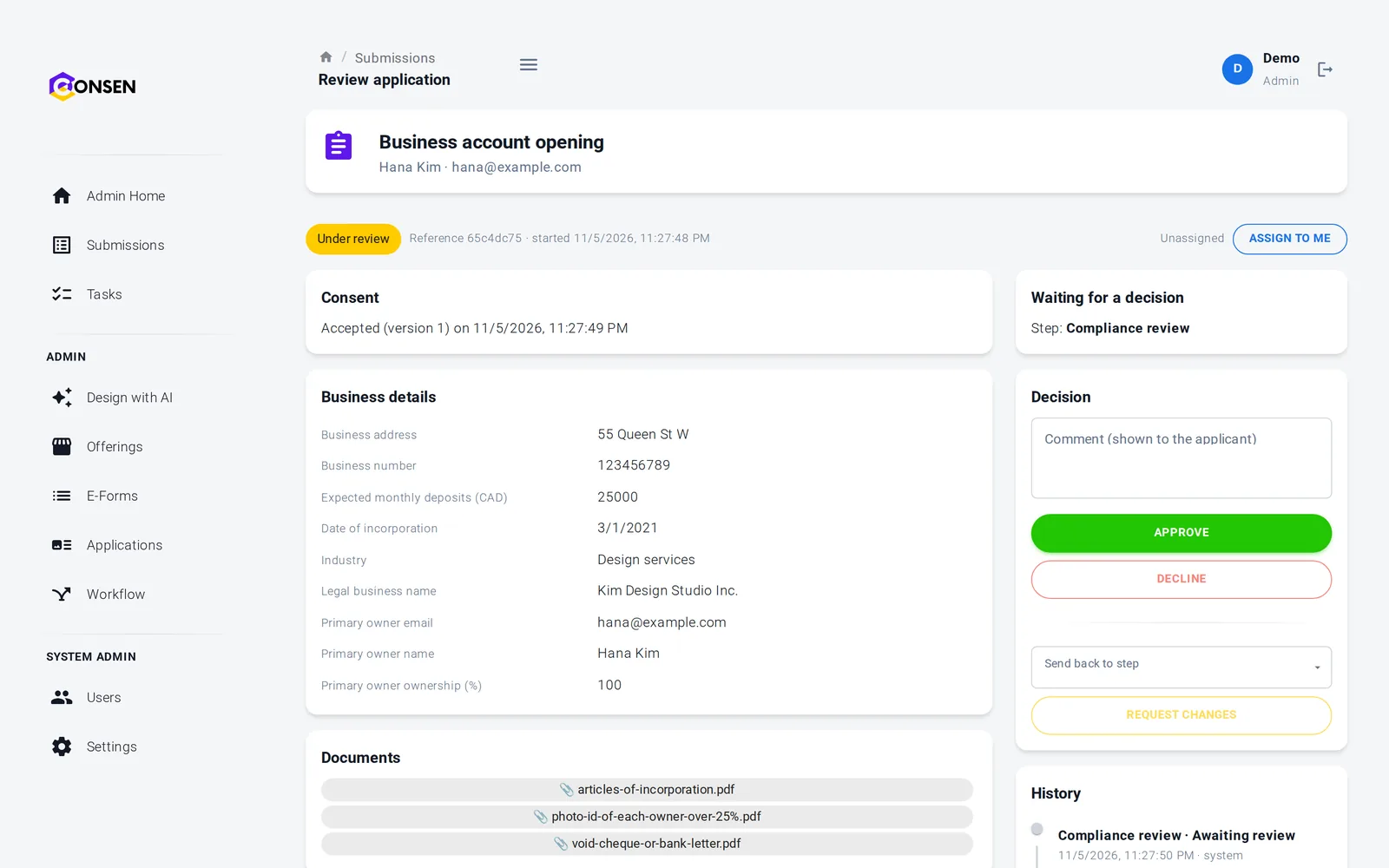
The review page shows the signature record and the signed PDF next to the answers and documents. If you send the application back and the answers change, the person signs again.
Signer, time, IP address and fingerprint on record
Signed PDF one click away
Earlier signatures kept as superseded
People read, sign and download from their phone
The agreement shows with a summary of the person's answers. They type their name to sign and can download the signed PDF from their application.
Agreement and answers on one screen
Signed PDF to download
Your branding on every page
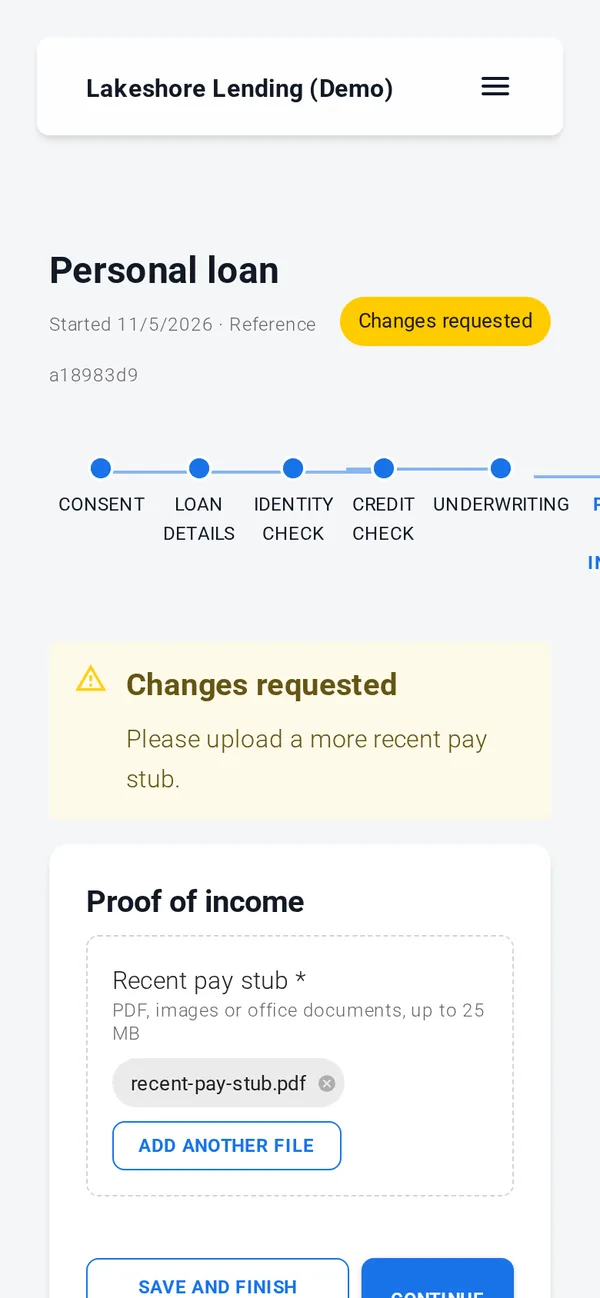
Consent, documents, simple e-signature, rules, reviews and emails work out of the box. ID verification, credit, background and AML checks, advanced e-signature and payments run through your own provider accounts, connected with our team during onboarding; until then those steps run in test mode with simulated results.
A signature record you can rely on
The built-in signature is a simple electronic signature, suitable where the law accepts one. For an advanced or qualified signature, connect your own provider. Built on SOC 2 controls (independent audit planned); GDPR tools built in, DPA on request.
Signed PDFs can't be deleted through the app
Staff downloads are logged
Fingerprint covers the agreement and the answers
Export and erasure for each application
Questions about agreements and e-signature
It is a simple electronic signature: the signer types their name, and CONSEN records the time, IP address and a SHA-256 fingerprint of the agreement as shown and the answers. That suits documents where the law accepts a simple e-signature, such as most commercial agreements and declarations. Your counsel decides what each document needs.
Connect your own e-signature provider account; our team sets up the connection with you on request. Until a provider is connected, its signing step runs in test mode.
Yes. Write the agreement once with placeholders, such as the scope, fee or unit and rent, set as values on the offering. When an administrator invites a person to an invitation-only offering, they can change those values for that person. The signed text and the PDF show exactly what the person saw.
With the application, in your workspace's private storage. The applicant can download it, reviewers see it on the review page, and nobody can delete it through the app, administrators included. It leaves only with its application, through a logged erasure or when your retention period ends.
If a reviewer sends the application back and the answers change, the signature no longer matches and the person is asked to sign again before the application returns to review. The earlier signature is kept as superseded.
The questions we hear first
Is our applicants' data safe?
Each workspace is isolated, data is encrypted in transit and at rest, staff access is role-based and invite-only, and every action is in the history.
How we protect dataHow much work is it to set up?
We set up your workspace and build the first application with you during onboarding. After that your team changes forms and rules itself, without code.
See the productDoes it work with our providers and systems?
Built-in steps need no third party. ID, credit and AML checks and payments connect to your own provider accounts. Sending data to your own systems is scoped with you.
Integrations and APIWhat does it cost?
There are three plans. We send a quote after a short call about your process and volume, so you pay for what you need.
Compare plansSee your agreement signed on CONSEN
Send us an engagement letter or agreement you use today. We will show it with your placeholders and signing step in a demo workspace.