
Collect the right documents the first time
Checklists that ask each person only for what applies, dates checked as they upload, reminders that follow up for you, and a way to ask for one more document without starting over.
Where document chasing goes wrong
One long checklist for everyone, so people send the wrong things.
Each document can have a rule. People see only the documents that apply to their answers.
Statements arrive months out of date.
Ask for the date on the document and set a maximum age. Old documents are refused at upload.
Asking for one more file restarts the whole thread.
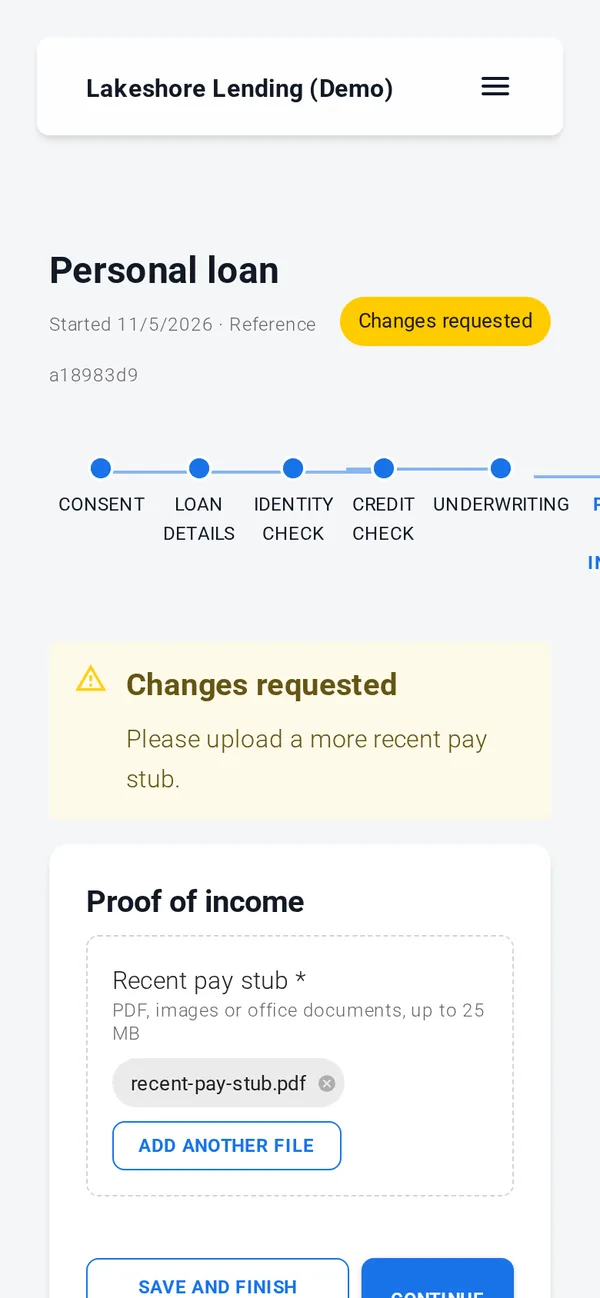
Reviewers request a named document with a note. The person uploads it and the file returns to the same review.
Someone has to remember to follow up.
Reminders go out on the days you choose, up to 5, with an opt-out on every email.
Yearly paperwork, onboarding packs and loan files
The same document step works for tax season, onboarding and underwriting. This is the annual document collection from our client onboarding template: clients say what changed, then see only the documents that apply.
Checklists that adapt
Documents asked only when a rule on the answers matches.
Dates and maximum age
The date on each document, checked against the age you allow.
Requests mid-review
Up to 10 extra document requests per application, each with a note.
Reminders with opt-out
On the days you choose, at most 5 per application, never two within 20 hours.
File-type rules
Accepted file types per document, so you get PDFs or photos you can read.
Private storage
Per-workspace, encrypted, with every staff download logged.
Upload from a phone
Take a photo of a document and upload it straight from the application.
Export and package
Export an application, or let your systems fetch its package with an API key.
Annual document collection
What changed: self-employment, a rental property, investments sold, contributions, donations.
Income slips for everyone; rental, self-employment or investment records only when they apply.
Request changes or a missing slip with one comment.
Every document checked in one place
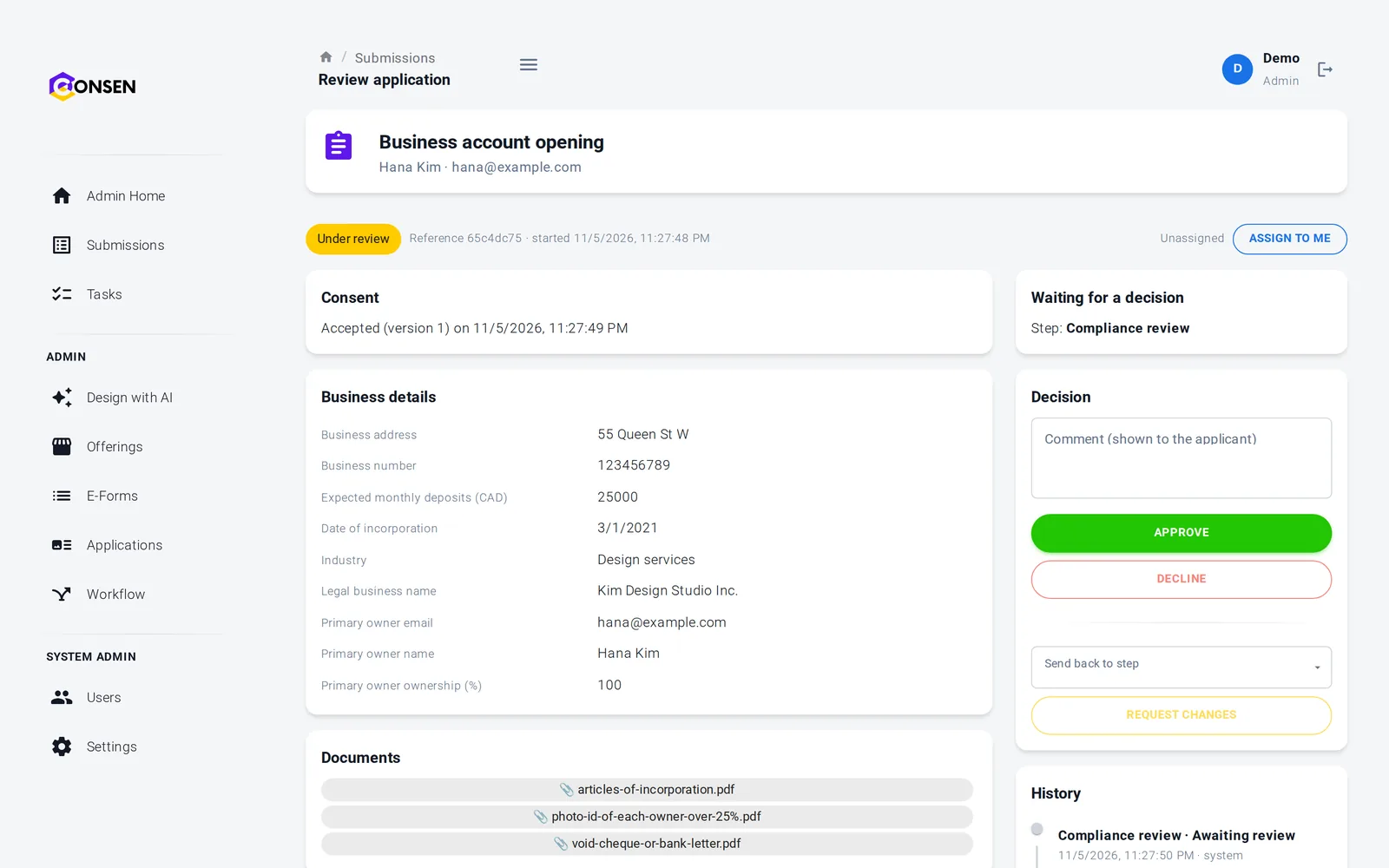
Reviewers see each document with its date and the answers that made it apply, next to the history of requests and uploads. They accept the file, request changes or ask for one more document.
Request a named document with a note
Each document's date shown to the reviewer
History of every request and upload
People see exactly what to send
The checklist shows only what applies, with your hint under each document. If you ask for more, they see your note and upload it from the same link.
Progress through every step is visible
Save and finish later
Opt out of reminders with one click
Consent, documents, simple e-signature, rules, reviews and emails work out of the box. ID verification, credit, background and AML checks, advanced e-signature and payments run through your own provider accounts, connected with our team during onboarding; until then those steps run in test mode with simulated results.
Documents kept private, then deleted on time
Files are stored per workspace and encrypted in transit and at rest. Only administrators and reviewers can open them. Built on SOC 2 controls (independent audit planned); GDPR tools built in, DPA on request.
Every staff download is logged
Retention you choose, up to 7 years, then automatic deletion
Export and erasure for each application
Designers never see applicants' documents
Questions about document collection
Yes. Each document can have a rule, such as "only for businesses" or "only when there is a rental property". The client sees only the documents that apply, and the server requires exactly those before the step can be finished.
Yes. A document can ask for the date on the document and set a maximum age, for example a bank statement dated within the last 45 days. Dates in the future or older than the limit are refused, and reviewers see each document's date.
The reviewer requests it by name, with a note. The client gets a one-off upload step and an email, reminders say documents are needed, and the application returns to the same review once the upload is done. The rest of the application stays as it was.
In private storage for your workspace on Amazon Web Services, encrypted in transit and at rest. Only your administrators and reviewers can open them; designers can't. Every staff download is logged, and files are deleted with the application when your retention period ends.
Administrators can export an application with its answers and file links. Your own systems can download each application's package, with answers, documents and their dates, consent and signature records, through a workspace API key.
The questions we hear first
Is our applicants' data safe?
Each workspace is isolated, data is encrypted in transit and at rest, staff access is role-based and invite-only, and every action is in the history.
How we protect dataHow much work is it to set up?
We set up your workspace and build the first application with you during onboarding. After that your team changes forms and rules itself, without code.
See the productDoes it work with our providers and systems?
Built-in steps need no third party. ID, credit and AML checks and payments connect to your own provider accounts. Sending data to your own systems is scoped with you.
Integrations and APIWhat does it cost?
There are three plans. We send a quote after a short call about your process and volume, so you pay for what you need.
Compare plansSee your document checklist running on CONSEN
Send us the list of documents you ask for today and when each one applies. We will show it as an online checklist in a demo workspace.